
Tap the subtitle itself.
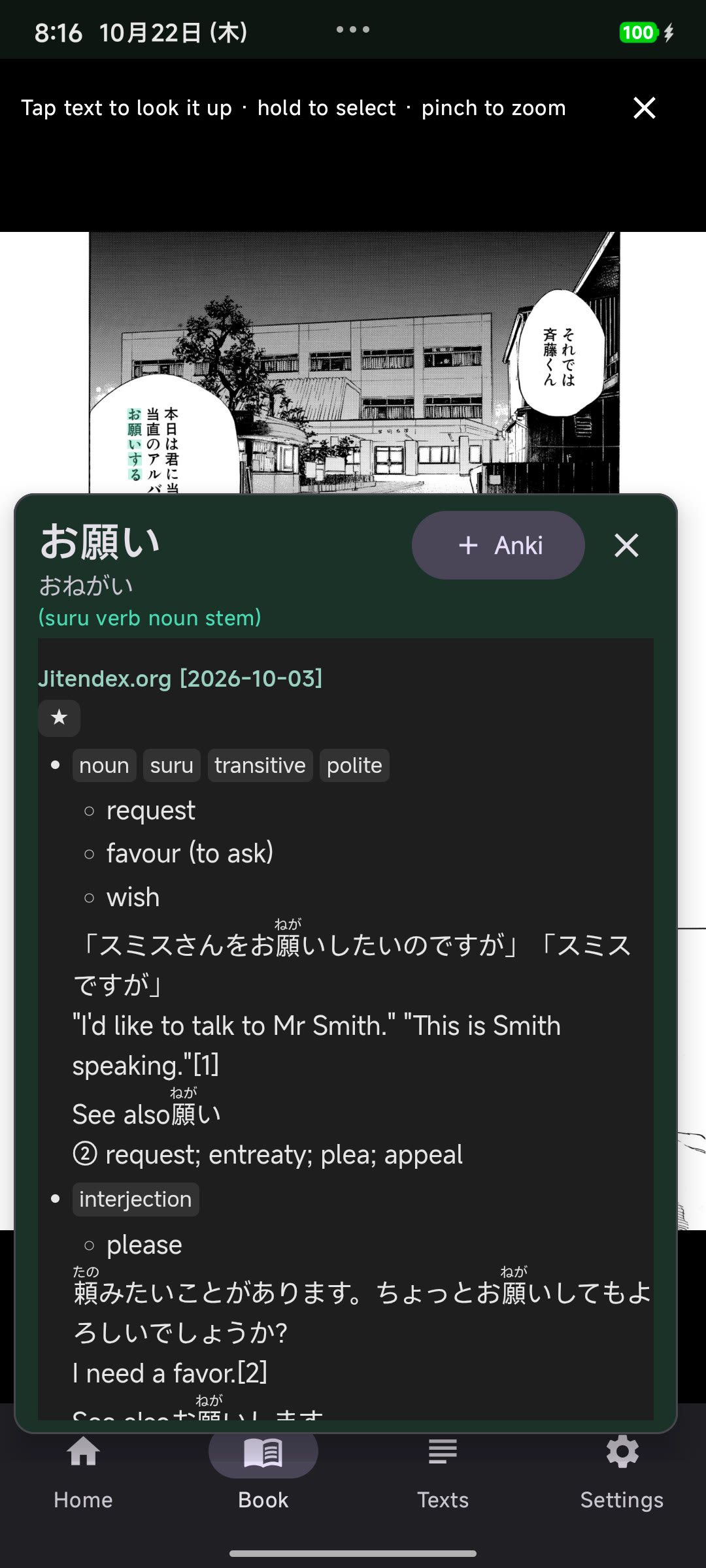
An invisible text layer sits exactly over the real characters. Tap a word in a game, a YouTube hardsub or a manga page and the definition opens right there. Hold and drag to select characters yourself.
Android · Yomitan dictionaries · Anki
Droid Sentence Miner reads the text in your games, videos and manga, gives you Yomitan dictionaries in one tap, and sends sentence cards — with the character's voice and a screenshot — straight to Anki.
Free and open sourceOCR and lookups on deviceAndroid 8+
Plays well with
From screen to Anki
No screenshots to crop, no text to copy, no audio to trim by hand. The moment a line appears on screen, everything needed for the card already exists.
Pick the game or video in Android's share sheet. Choose one app so only that app is read, and draw a box around the dialogue or subtitles.
A line of Japanese appears. Tap any word in it, on the live subtitle or in the text log. Yomitan dictionaries open instantly, with pitch and kanji.
One press builds the card: expression, reading, glossary, context sentence, screenshot, word audio and the voice line. Then keep playing.
Every step runs on the phone
Screen capture
MediaProjection
OCR
meikiocr · ML Kit
Line tracking
reads must agree
Lookup
Yomitan + deinflection
Mining
AnkiDroid · AnkiConnect
Features
A miner is only useful if it keeps up with what you are reading. Every part of Droid Sentence Miner is tuned for that gap between recognition and recall.
An invisible text layer sits exactly over the real characters. Tap a word in a game, a YouTube hardsub or a manga page and the definition opens right there. Hold and drag to select characters yourself.
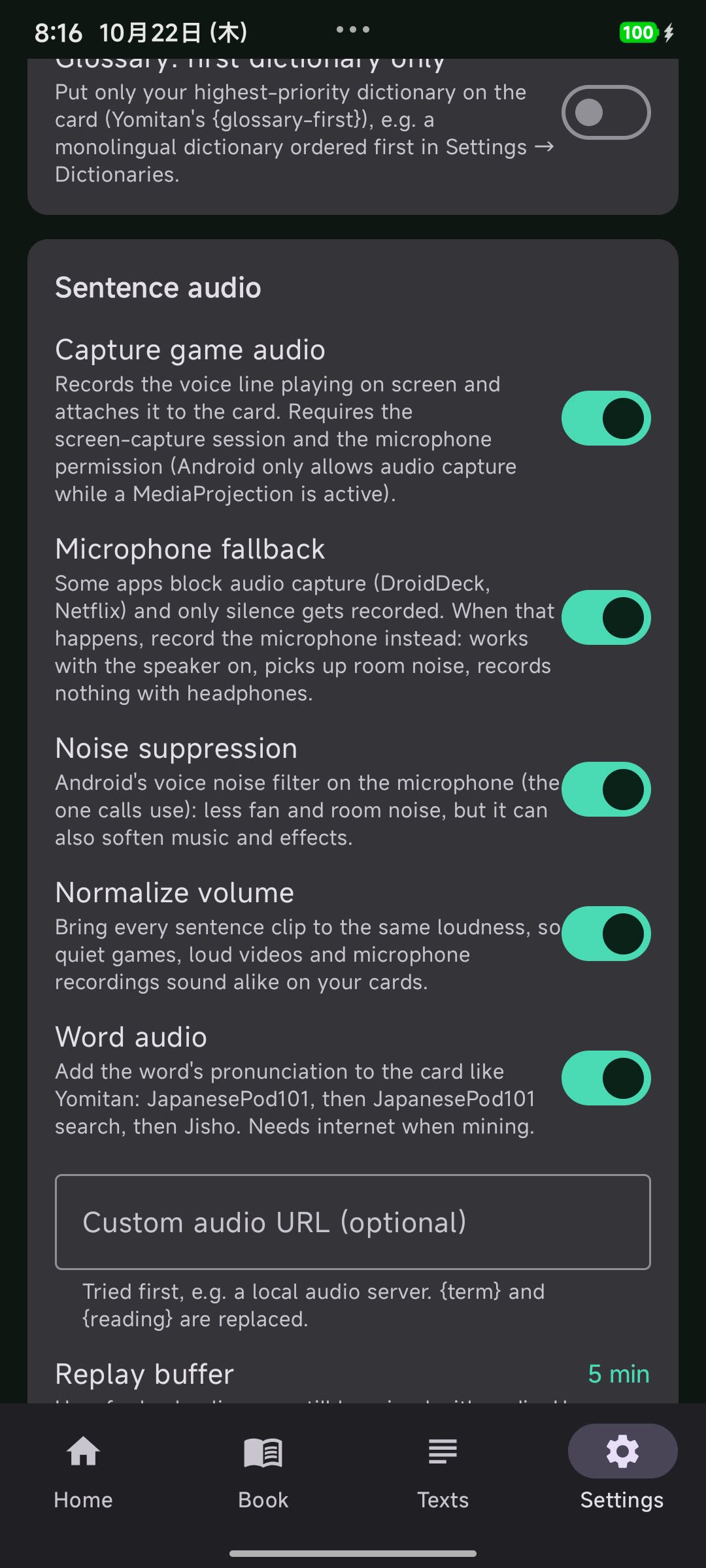
A replay buffer keeps the last few minutes of audio. Each line gets a clip cut from when it appeared, trimmed in a waveform editor and normalized.
Typewriter text, fades and moving backgrounds. Frames are compared cell by cell and every read votes, so a half-typed sentence never becomes a card.
3 reads agree · line logged
Field mapping for anime-style note types. Sentence, screenshot, word audio, sentence audio and a byte-identical Yomitan pitch graph.
Photograph a page. Book mode reads tategaki columns right to left and horizontal print, drops ruby, joins split sentences and outlines each paragraph. Tap the printed text itself to look it up, then mine the page as the card's picture.
OCR, deinflection and dictionary lookup run on the phone. Reading history lives in a local database. The only network calls are the ones you choose: dictionary or model downloads, your own AnkiConnect server, and the word-audio sources.
meikiocr runs on-device with ONNX Runtime. It was trained on Japanese game text and makes 3–19× fewer character errors than ML Kit on stylized fonts.
Any Yomitan format 3 zip: Jitendex, JMdict, KANJIDIC, frequency and pitch dictionaries. Or install the essentials with one tap.
Before adding, the popup checks your configured note type for the word. Existing words show ✓ In Anki instead of creating a duplicate.
Real sessions
Two recordings on a Xiaomi Pad 7. Tap a word in a visual novel, then in a burned-in YouTube subtitle. Both cards get the sentence, a screenshot, word audio and the character's voice.
Visual novel · Nightshade
Tap 手薄 in the dialogue box → definition → Anki → ✓ In Anki
YouTube · burned-in subtitles
Tap 消防車 in the subtitle → Anki → ✓ In Anki
Measured, not felt
Benchmarks use the same crops for both engines and hand-checked ground truth. Character error rate, lower is better.
The workspace
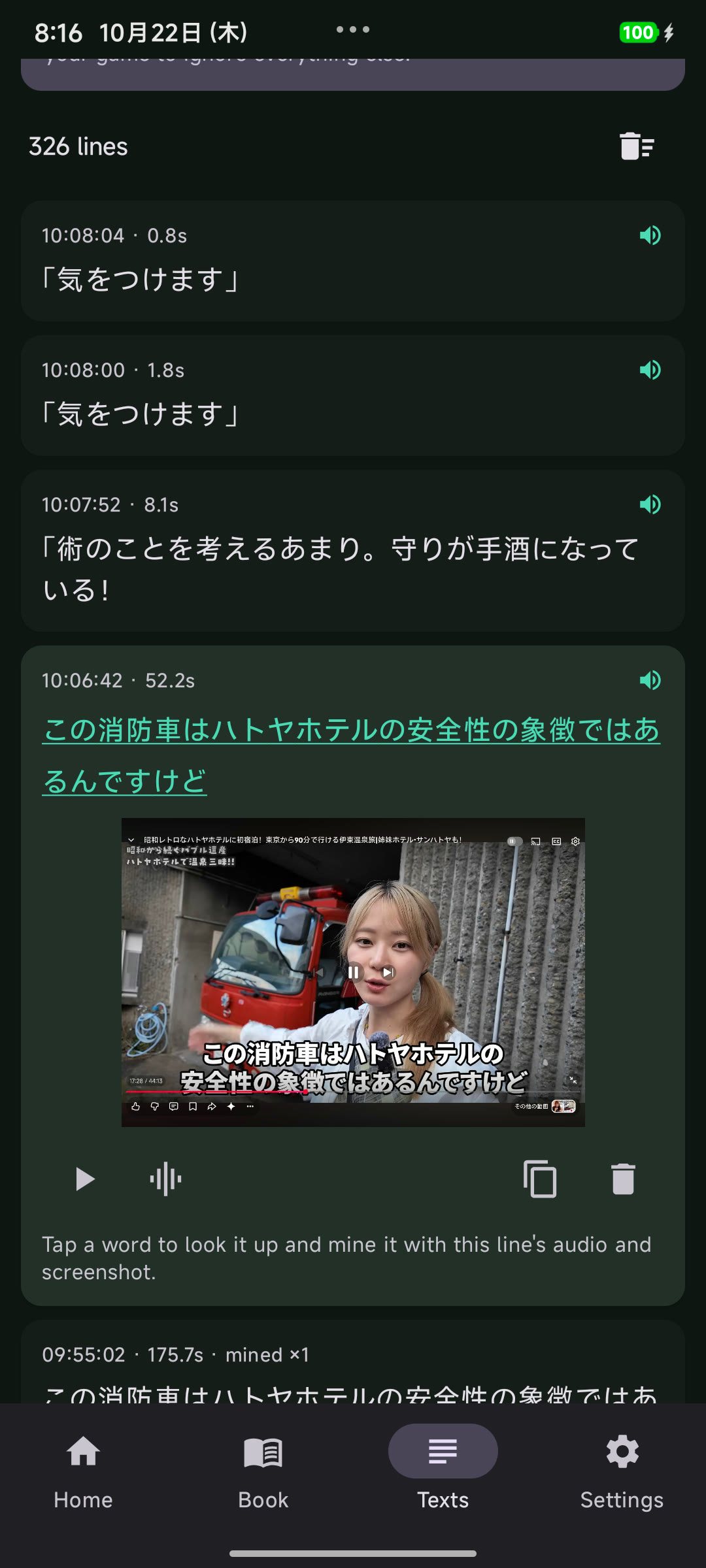
Auto OCR writes every line to the Texts tab with its timestamp, screenshot and voice clip. Re-read a scene, tap a word you missed, or replay the audio before it goes into the card.
FAQ
Still stuck? The docs cover setup, capture, audio and Anki in detail, and issues are welcome on GitHub.
Yes. It is free software under the GPL-3.0 license, with no account, subscription, ads or telemetry. The source code is on GitHub, and signed APKs are attached to every release.
No. Droid Sentence Miner uses Android's standard MediaProjection screen-sharing consent, the same mechanism as screen recorders. Root is not required, and the app works on a normal retail device.
Android 8.0 (API 26) or newer. Sentence audio capture needs Android 10 or newer. On Android 14 and 15 the system asks you to share one app or the entire screen before capture starts.
Any app whose text is visible on screen can be read. That includes visual novels, YouTube hardsubs, streaming apps, emulators and manga viewers. DRM-protected video surfaces stay black, and apps that opt out of audio capture will be silent unless microphone fallback is enabled.
Both are supported. AnkiDroid talks to the AnkiDroid API on the same phone, so no network is needed. AnkiConnect sends cards to desktop Anki over your local network using the AnkiConnect add-on.
No dictionaries ship with the APK. Install Jitendex, JMdict or Kanjium pitch accents with one tap from Settings, or import any Yomitan format 3 zip, including monolingual dictionaries, frequency lists and pitch dictionaries.
Book mode is built for paper: it reads tategaki columns right to left, filters ruby, joins split sentences and lays the text back over the page so you can tap the printed characters. Live screen OCR is tuned for horizontal game text and subtitles.
Yes when the app allows playback capture. A replay buffer keeps the last few minutes of device audio, and each line is cut from when it appeared to when it was replaced. Apps such as DroidDeck and Netflix block capture; the optional microphone fallback records the speaker instead.
Japanese is the focus, and English is supported too: Wiktionary dictionaries, phrasal verbs, IPA and an optional PaddleOCR pack. Pick the language on first launch; only that language downloads dictionaries and models. Other languages can be added as small modules.

Install it once, share your game, and start mining. Free, open source, and built to stay out of the way.
Android 8.0+ · GPL-3.0 · No account required