
invert
Utilities for applying invert filters to an element.
| Class | Effect |
|---|---|
invert |
filter: invert(100%); |
invert-<number> |
filter: invert(<number>%); |
invert-[<value>] |
filter: invert(<value>); |
Examples
Section titled “Examples”Color filters
Section titled “Color filters”Color filters compile into a 4×5 color matrix applied by the shader to the element and its children: grayscale, sepia, invert, brightness-*, contrast-*, saturate-*, hue-rotate-*.
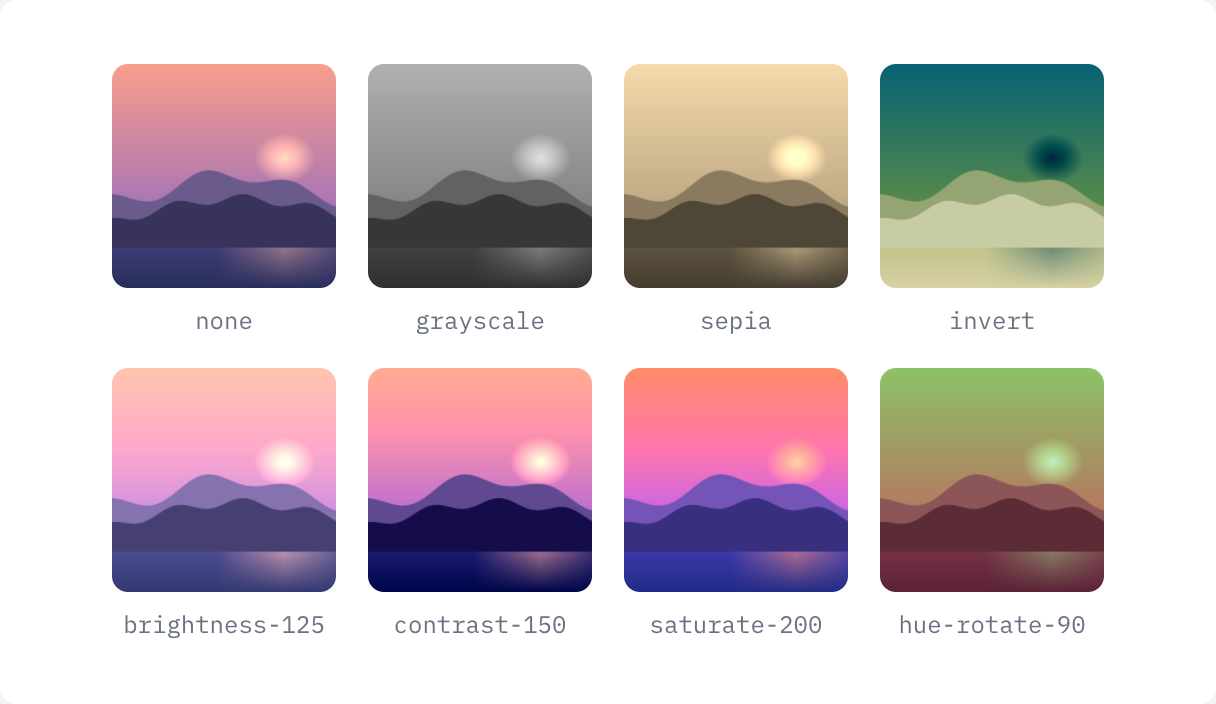
if ui.div("grid grid-cols-4 gap-4") { for c in ([]string{"", "grayscale", "sepia", "invert", "brightness-125", "contrast-150", "saturate-200", "hue-rotate-90"}) { ui.key(c) if ui.div("flex flex-col items-center gap-2") { ui.image(DEMO_IMAGE, ui.cx("size-28 rounded-lg object-cover", c)) ui.text(c == "" ? "none" : c, "font-mono text-xs text-gray-500 dark:text-gray-400") } }}Applying on hover
Section titled “Applying on hover”

ui.image(DEMO_IMAGE, "h-40 w-64 rounded-lg object-cover grayscale transition hover:grayscale-0")