
grid-column
Utilities for controlling how elements are sized and placed across grid columns.
| Class | Effect |
|---|---|
col-span-<number> |
grid-column: span <number> / span <number>; |
col-span-full |
grid-column: 1 / -1; |
col-span-[<value>] |
grid-column: span <value> / span <value>; |
col-start-<number> |
grid-column-start: <number>; |
-col-start-<number> |
grid-column-start: calc(<number> * -1); |
col-start-auto |
grid-column-start: auto; |
col-start-[<value>] |
grid-column-start: <value>; |
col-end-<number> |
grid-column-end: <number>; |
-col-end-<number> |
grid-column-end: calc(<number> * -1); |
col-end-auto |
grid-column-end: auto; |
col-end-[<value>] |
grid-column-end: <value>; |
col-auto |
grid-column: auto; |
col-<number> |
grid-column: <number>; |
-col-<number> |
grid-column: calc(<number> * -1); |
col-[<value>] |
grid-column: <value>; |
Examples
Section titled “Examples”Spanning columns
Section titled “Spanning columns”Use col-span-<number> to make an element span n columns.
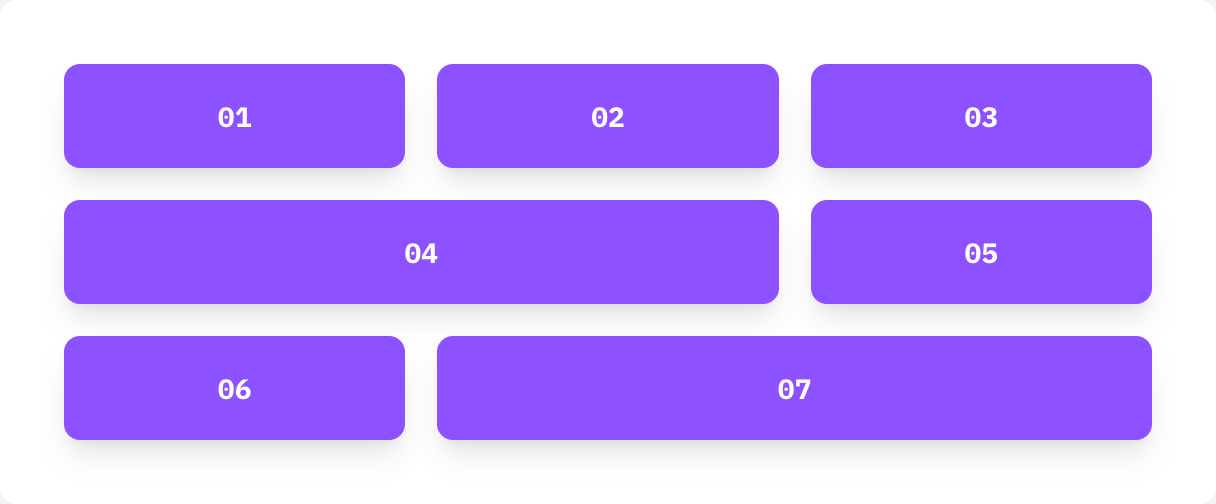
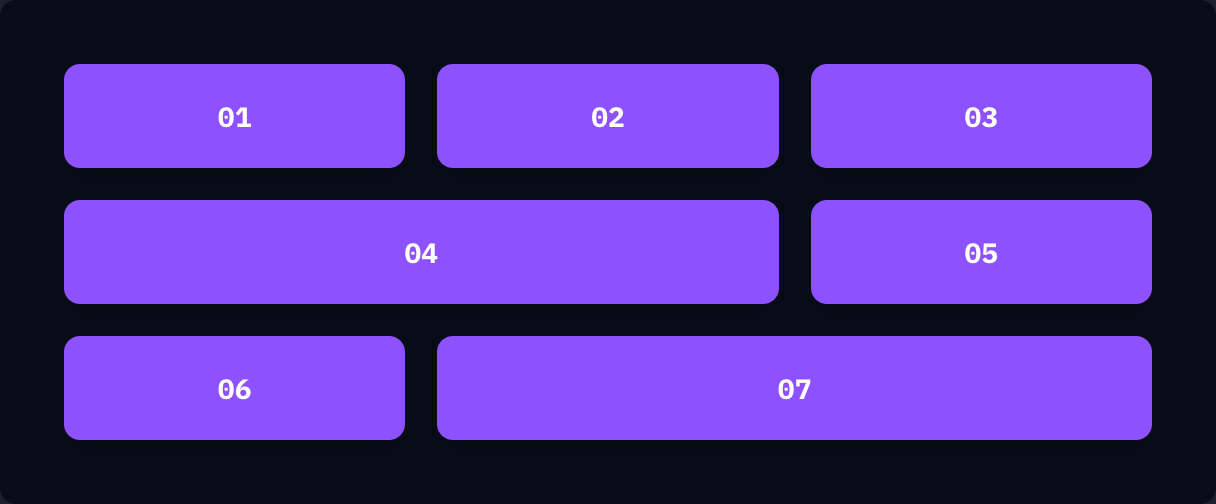
if ui.div("grid grid-cols-3 gap-4") { tile("01") tile("02") tile("03") tile("04", "col-span-2") tile("05") tile("06") tile("07", "col-span-2")}Starting and ending lines
Section titled “Starting and ending lines”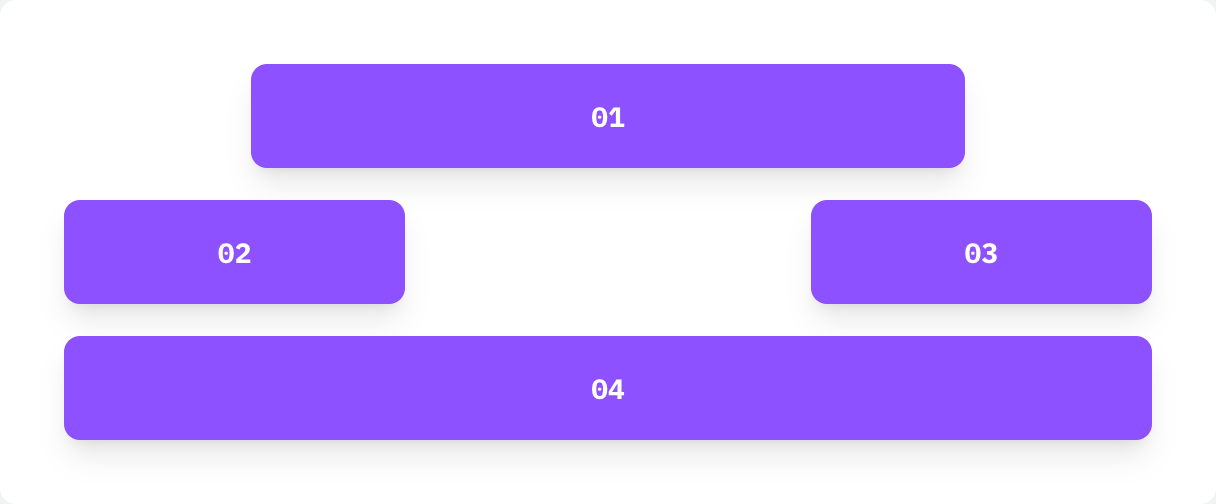
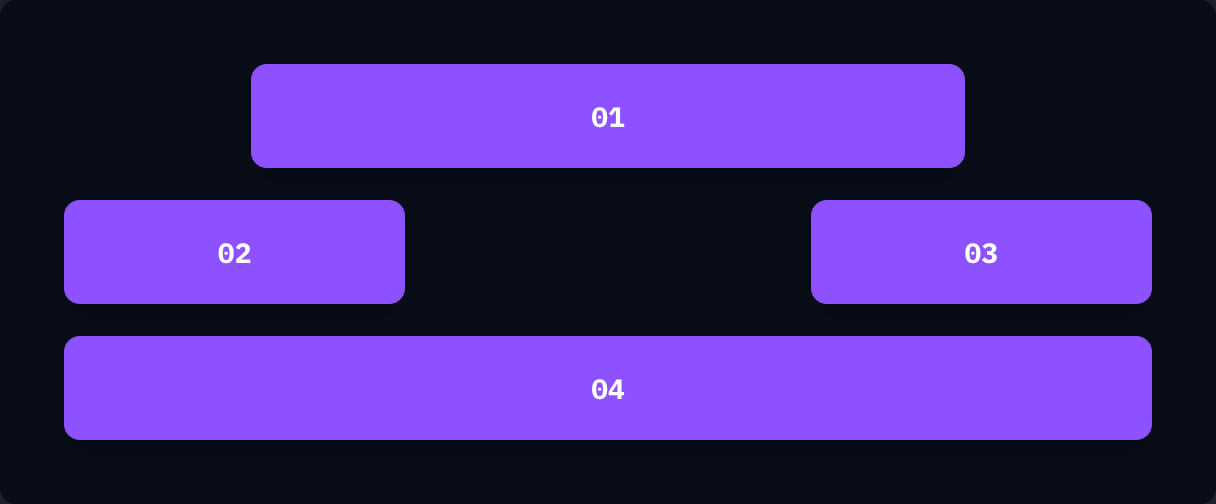
if ui.div("grid grid-cols-6 gap-4") { tile("01", "col-span-4 col-start-2") tile("02", "col-start-1 col-end-3") tile("03", "col-span-2 col-end-7") tile("04", "col-start-1 col-end-7")}