
cursor
Utilities for controlling the cursor style when hovering over an element.
| Class | Effect |
|---|---|
cursor-auto |
cursor: auto; |
cursor-default |
cursor: default; |
cursor-pointer |
cursor: pointer; |
cursor-wait |
cursor: wait; |
cursor-text |
cursor: text; |
cursor-move |
cursor: move; |
cursor-help |
cursor: help; |
cursor-not-allowed |
cursor: not-allowed; |
cursor-none |
cursor: none; |
cursor-context-menu |
cursor: context-menu; |
cursor-progress |
cursor: progress; |
cursor-cell |
cursor: cell; |
cursor-crosshair |
cursor: crosshair; |
cursor-vertical-text |
cursor: vertical-text; |
cursor-alias |
cursor: alias; |
cursor-copy |
cursor: copy; |
cursor-no-drop |
cursor: no-drop; |
cursor-grab |
cursor: grab; |
cursor-grabbing |
cursor: grabbing; |
cursor-all-scroll |
cursor: all-scroll; |
cursor-col-resize |
cursor: col-resize; |
cursor-row-resize |
cursor: row-resize; |
cursor-n-resize |
cursor: n-resize; |
cursor-e-resize |
cursor: e-resize; |
cursor-s-resize |
cursor: s-resize; |
cursor-w-resize |
cursor: w-resize; |
cursor-ne-resize |
cursor: ne-resize; |
cursor-nw-resize |
cursor: nw-resize; |
cursor-se-resize |
cursor: se-resize; |
cursor-sw-resize |
cursor: sw-resize; |
cursor-ew-resize |
cursor: ew-resize; |
cursor-ns-resize |
cursor: ns-resize; |
cursor-nesw-resize |
cursor: nesw-resize; |
cursor-nwse-resize |
cursor: nwse-resize; |
cursor-zoom-in |
cursor: zoom-in; |
cursor-zoom-out |
cursor: zoom-out; |
cursor-[<value>] |
cursor: <value>; |
Examples
Section titled “Examples”Basic example
Section titled “Basic example”Hover each button to see the system cursor change.
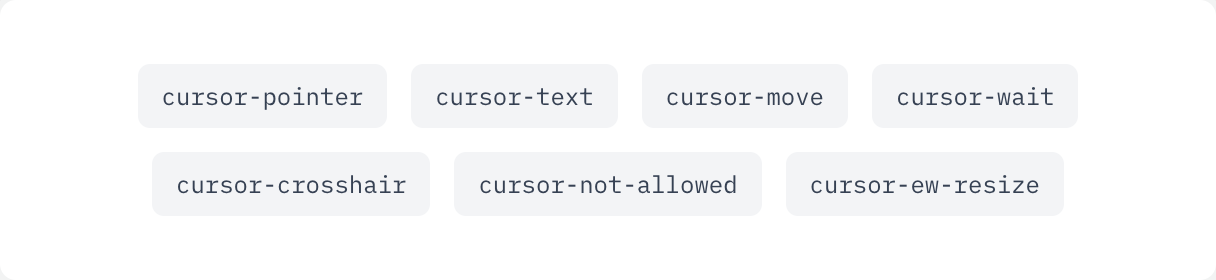
if ui.div("flex flex-wrap justify-center gap-3") { for c in ([]string{"cursor-pointer", "cursor-text", "cursor-move", "cursor-wait", "cursor-crosshair", "cursor-not-allowed", "cursor-ew-resize"}) { ui.key(c) ui.text(c, ui.cx("rounded-md bg-gray-100 px-3 py-2 font-mono text-xs text-gray-700 dark:bg-white/10 dark:text-gray-200", c)) }}